


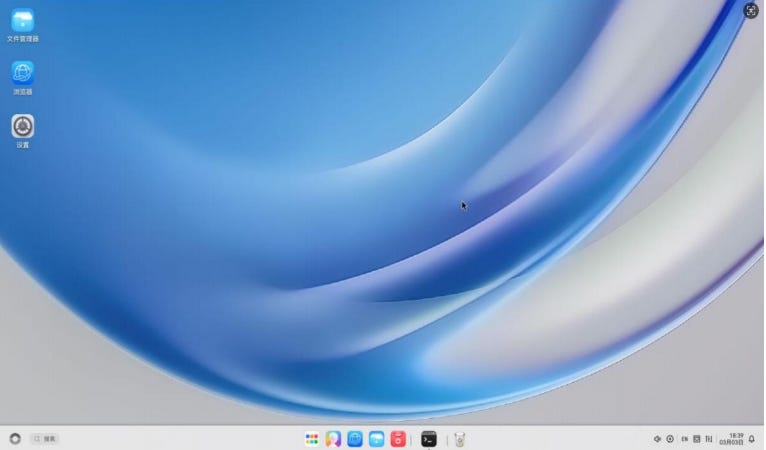
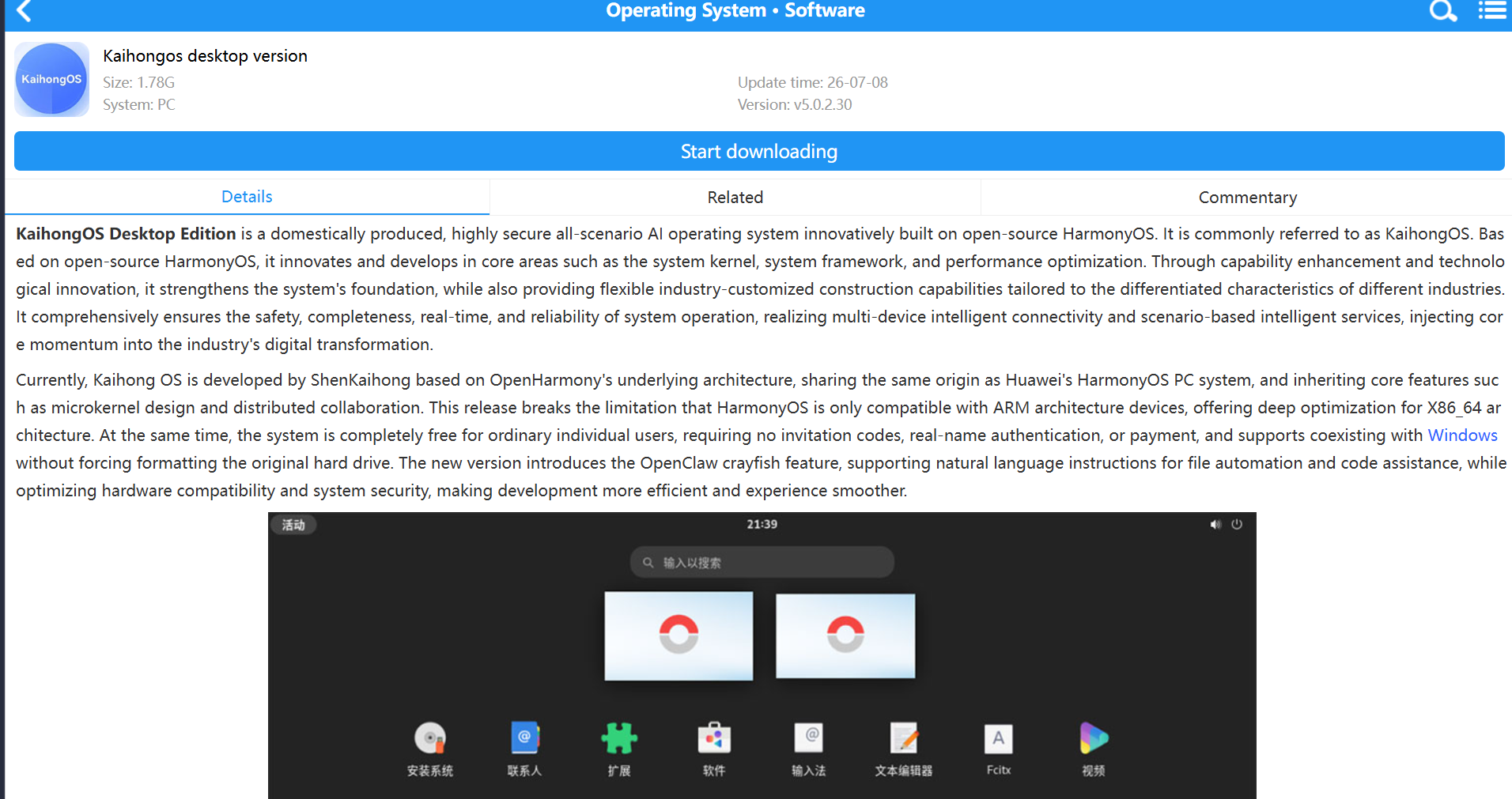
KaihongOS Desktop Edition is a domestically produced, highly secure all-scenario AI operating system innovatively built on open-source OpenHarmony. It is commonly referred to as KaihongOS. Based on open-source OpenHarmony, it innovates and develops in core areas such as the system kernel, system framework, and performance optimization. Through capability enhancement and technological innovation, it strengthens the system’s foundation, while also providing flexible industry-customized construction capabilities tailored to the differentiated characteristics of different industries. It comprehensively ensures the safety, completeness, real-time, and reliability of system operation, realizing multi-device intelligent connectivity and scenario-based intelligent services, injecting core momentum into the industry’s digital transformation.
Currently, Kaihong OS is developed by ShenKaihong based on OpenHarmony’s underlying architecture, sharing the same origin as Huawei’s HarmonyOS PC system, and inheriting core features such as microkernel design and distributed collaboration. This release breaks the limitation that HarmonyOS is only compatible with ARM architecture devices, offering deep optimization for X86_64 architecture. At the same time, the system is completely free for ordinary individual users, requiring no invitation codes, real-name authentication, or payment, and supports coexisting with Windows without forcing formatting the original hard drive. The new version introduces the OpenClaw crayfish feature, supporting natural language instructions for file automation and code assistance, while optimizing hardware compatibility and system security, making development more efficient and experience smoother.
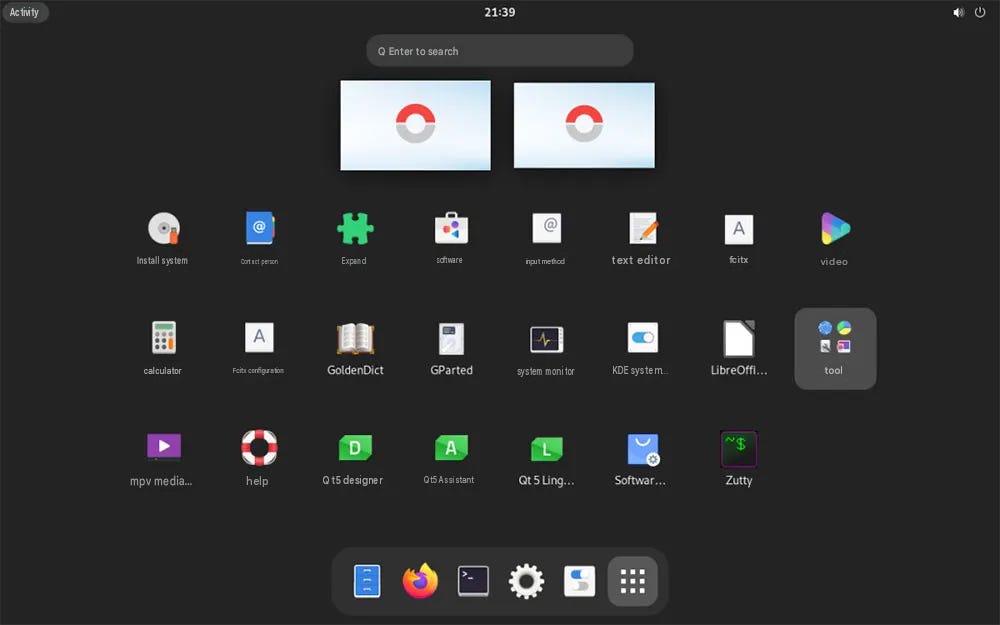
Kaihong OS system features
1. Security: Multiple authentication ensures full data lifecycle protection
KaihongOS’s LiteOS-M operating system kernel received the EAL5+ security certification from the China Cybersecurity Review Technology and Certification Center (CCRC), and is also the first open-source OpenHarmony secure OS distribution to pass the Ministry of Public Security’s security testing certification nationwide. Ensuring security from the source, KaihongOS achieves system-level security through formal kernels, distributed security defense, distributed encrypted data storage, secure transmission within domains, and tiered security for end-to-end, edge-edge cloud, and application hierarchical security, comprehensively resisting various security threats.
2. Comprehensive: Flexible deployment, covering all devices of all sizes
Based on a microkernel plug-in architecture, KaihongOS integrates system capabilities into individual “block-like” components, which can be flexibly deployed to a vast number of devices of different sizes and types. This meets the needs of a single system for devices ranging from 20KB to GB, enabling data generation and collection across all physical devices, and supports multiple upgrade methods such as edge distribution and OTA upgrades, adapting to the needs of different industries and scenarios.
3. Real-time: Hybrid deployment with microsecond-level real-time response
KaihongOS adopts a single-chip, multi-core hybrid deployment, featuring both real-time and intelligent cores, meeting diverse human-computer interaction scenarios while supporting microsecond-level response in industrial control, aerospace, emergencies, and other scenarios. The KaihongOS industrial real-time operating system kernel has passed testing and certification by China’s Thier Laboratory. It is the first operating system in the open-source OpenHarmony field to achieve hardware real-time capabilities, achieving interrupt response delay of ≤ 1 microsecond and task switching delay of ≤ 1 microsecond, ensuring the system can respond promptly and accurately to task requests in scenarios with high real-time requirements.
4. Reliable: Stable operation, zero downtime and zero interruption during long-term pressure testing
KaihongOS boasts outstanding reliability, with no system downtime, memory leak detection and recovery capabilities, ensuring zero system downtime; Business uninterrupted: Through dual-machine hot standby technology, real-time business takeover is achieved, with zero service interruption during switchover, providing strong support for business continuity in key industries and avoiding losses caused by system failures or interruptions.
5. Smart connectivity: integrated communication, compatible with multiple ecosystem applications
KaihongOS soft bus supports multi-link converged communication, including Sparklink, Wi-Fi, Ethernet, BLE, and other communication methods; Supports interoperability with HarmonyOS devices; Supports compatibility with Linux and Android multi-system application ecosystems.
6. Al Native, Al Agent proactive service
The KaihongOS operating system fully embraces AI, evolving toward “distributed AIOS.” Supports native AI, built-in on-cloud large model framework, and provides users with an Agentic agent framework and development tools, enabling industry users and developers to create personalized intelligent assistants. Based on AIOS, KaihongOS can provide high-quality data, allowing data to flow freely and deeply within a unified intelligent framework. Agents on AIOS can intelligently call various resources based on users’ overall needs and behavior patterns, providing personalized services that collaborate across terminals, applications, and multiple agents, driving industries to upgrade toward intelligence.
Kaihongos Desktop Version Installation Tutorial:
1. Hardware requirements
1. CPU: Intel 64-bit processor (dual-core or multi-core), clock speed above 1GHz.
2. RAM: 4GB or more of memory.
3. Storage: Storage devices of 30GB or more, supporting SATA and NVMe.
4. System firmware: Supports UEFI system firmware booted from external USB boots.
5. Graphics Card: Intel HD Graphics series 5th generation and above integrated graphics, some Intel UHD Graphics series integrated graphics, some Intel Iris architecture integrated graphics, some Intel Xe architecture discrete graphics, NVIDIA GeForce 8 and above dedicated graphics.
6、USB:USB 3.0 / 2.0。
2. Preparation of installation environment
1. The USB drive used for burning images must have a capacity of at least 10GB, and all data on the USB drive must be cleared.
2. The KaihongOS image file used for installation.
3. Rufus USB flash burning software.
4. A Windows x86 physical machine, with KaihongOS image files and Rufus USB burning software stored on this device.
3. Start installing the Honghong OS
1. Enter the X86 physical machine in the Windows environment, insert a USB drive, and then open the Rufus burning software.
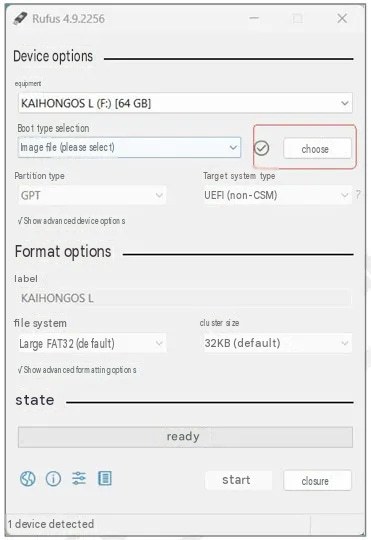
2. Click “Select” to select the KaihongOS image file locally.
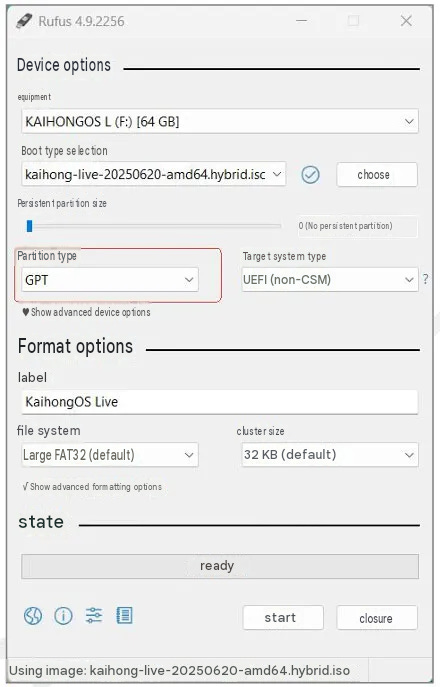
3. For “Partition Type,” select “GPT” and click “Start.”
KaihongOS images only support installation via UEFI/GPT
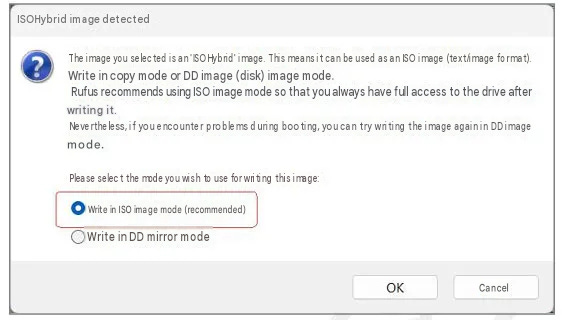
4. Choose to write in ISO image mode and click “OK”.
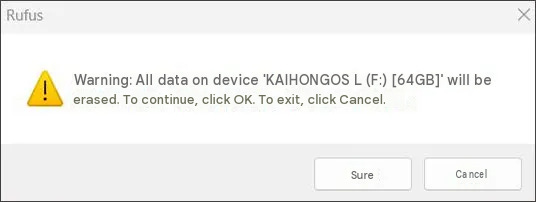
5. Click “OK” to clear the data and start burning the USB drive.
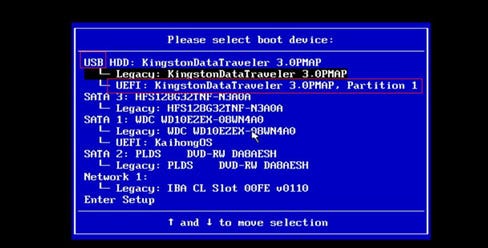
6. After burning is complete, insert the USB drive into the computer where KaihongOS will be installed. Turn on the computer (if the computer has already been turned on, restart it). When the logo lights up on the screen, press F12 to enter the boot menu (the key position for boot menu varies by brand of computer; you can check this key online according to your computer type), then select USB drive to boot
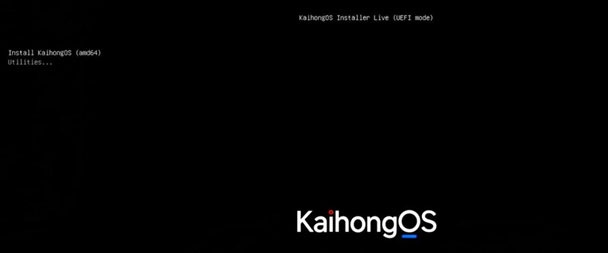
7. Boot using a USB drive, select “Install KaihongOS (amd64)” from the boot menu to boot.
If not selected, it will automatically start after 5 seconds according to the Install KaihongOS (amd64) boot item.
8. After entering the LiveCD desktop, the KaihongOS installer will automatically launch. Click “Next.” Change the language on the list box from Chinese/Mandarin to English before proceeding.
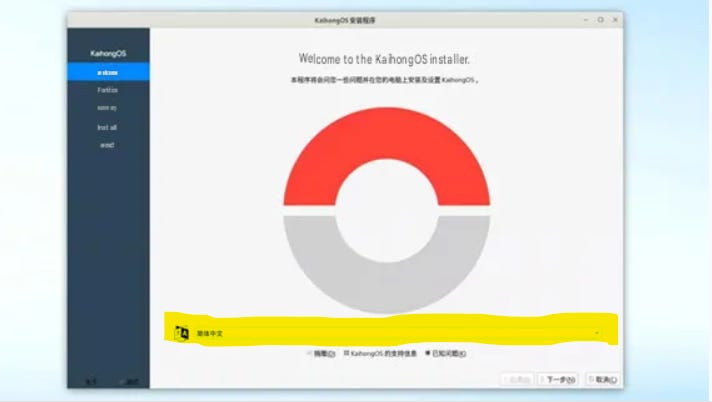
If the KaihongOS installer fails to open automatically, you need to right-click the terminal on the desktop and enter the following command to manually start the installer.
cd /kh_calamares
sudo calamares-d-c
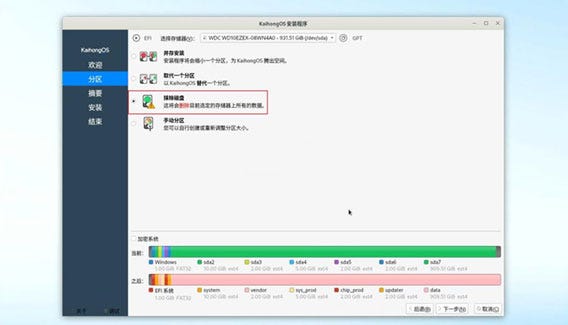
9. Disk configuration.
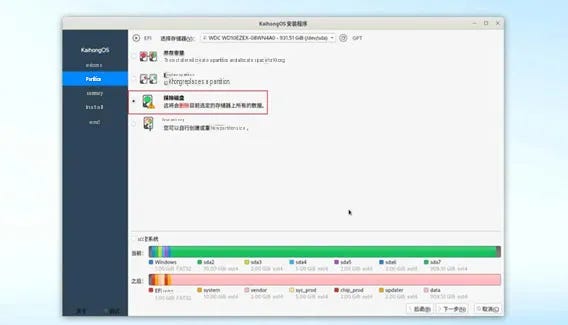
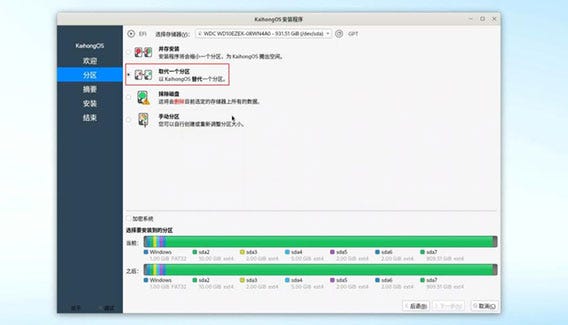
Use the built-in installation disk layout and do not encrypt it. Figure 2-9 shows the configuration for erasing a single disk as a whole.
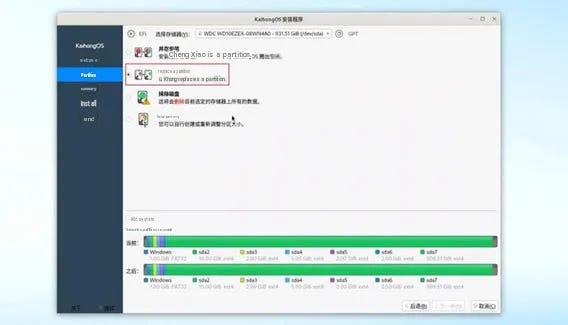
Note that when the x86 physical machine has only a single hard drive and does not erase the disk, you can choose the “replace a partition” option to install (see Figure 2-10) to avoid installation errors. On the currently displayed disk partition diagram, click the partition you want to replace as the installation path; unpartitioned space (gray) can also be selected.
Note:
Only one KaihongOS can be installed on the same x86 physical machine at the same time. If the target x86 physical machine already has KaihongOS systems, you need to delete the KaihongOS partition and manually partition it before installing.
10. After disk configuration is complete, click “Next” to confirm the installation information, then click “Install” to start installing KaihongOS.
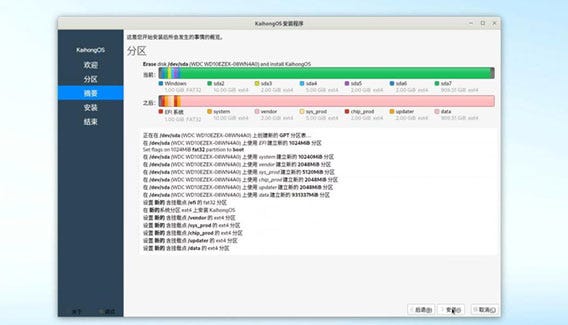
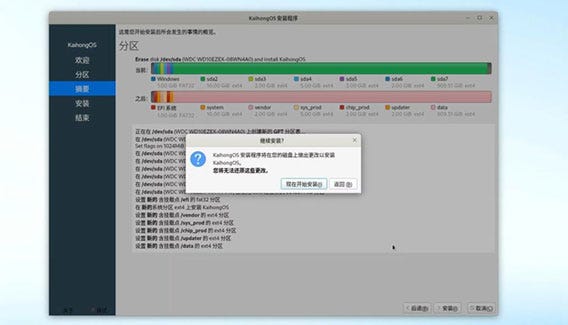
When the “Continue Installation” prompt pops up, click “Start Installation Now.”
11. After installation is complete, click “Finish”.
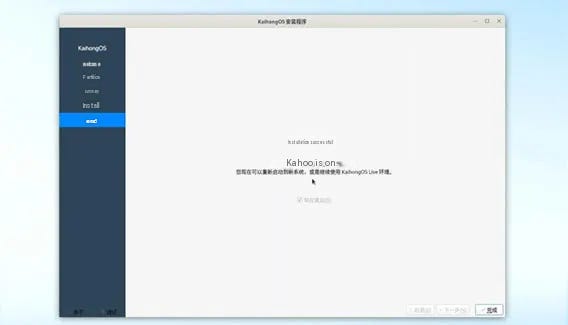
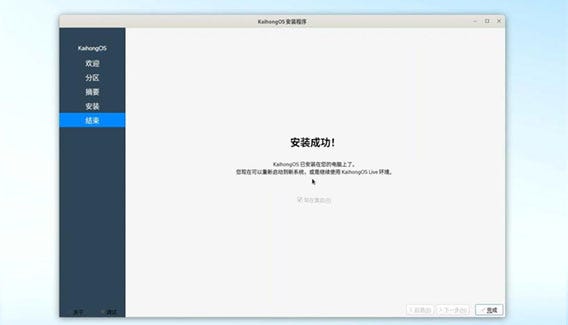
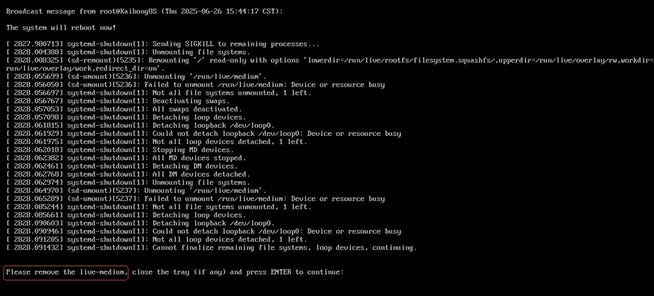
12. When prompted “Please remove the live-medium,” unplug the USB drive and press Enter. If the prompt “Please remove the live-medium” does not appear, you can remove the USB drive and manually restart.
13. When entering the boot menu, select the “KaihongOS” boot option to enter the KaihongOS system.
If the x86 physical machine is installed with Windows and KaihongOS running in parallel, the boot menu will display the “Windows Boot Manager” boot item for entering the Windows system.
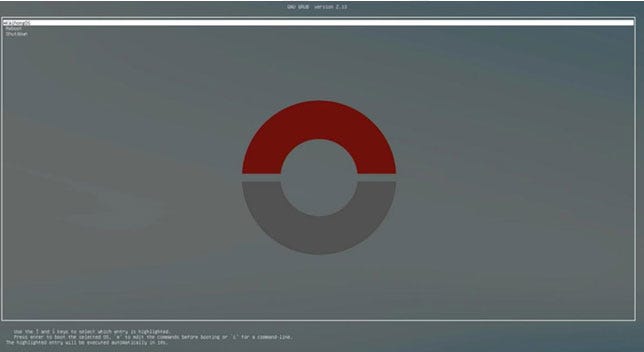
Press E to enter edit mode. You can follow the method below to open the required graphics card driver (set to 1) and disable the unused driver (set to 0) to avoid conflicts.
The method is as follows:
i915.modeset=1 (set to 1 to enable Intel integrated graphics, set to 0 to turn off Intel integrated graphics)
amdgpu.modeset=1 (set to 1 to open the new AMD graphics card, set to 0 to turn off the new AMD graphics card)
radeon.modeset=1 (set to 1 to open old AMD graphics cards, set to 0 to turn off old AMD graphics cards)
nouveau.modeset=1 (Set to 1 to turn on NVIDIA graphics card, set to 0 to turn off NVIDIA graphics card
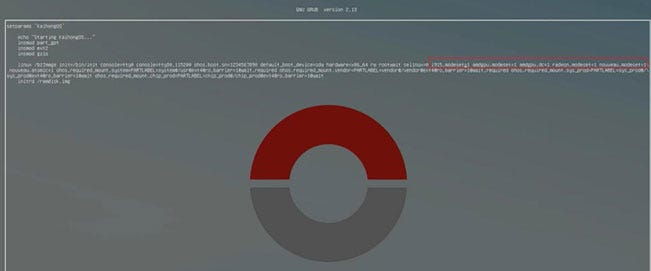
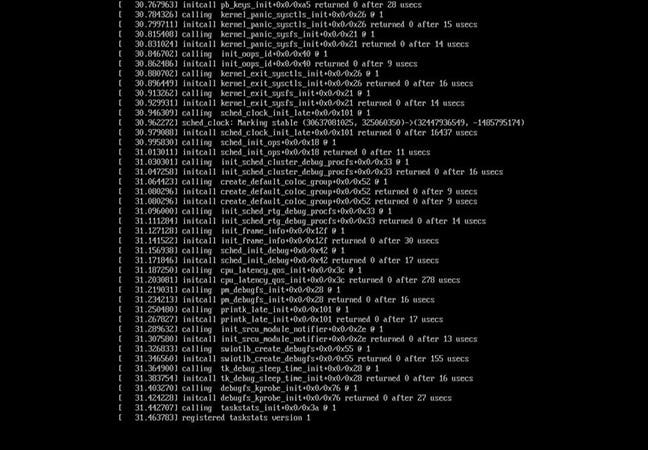
After setting up, press F10. If the boot is normal, you can enter the kernel boot interface shown in Figure 2-18.
Note: The monitor must be connected to the correct graphics card
After booting, enter the KaihongOS system interface.
Note: OpenClaw requires more than 4GB of memory
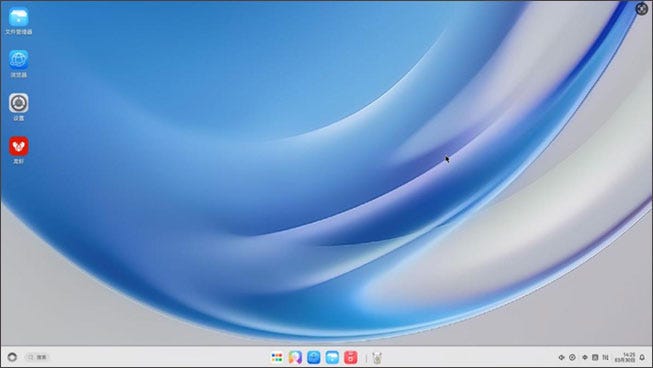
14. Alright, Kaihong OS has been successfully installed.
Product architecture
The KaihongOS standard system software technical architecture follows a layered design, from bottom to top: kernel layer, system service layer, framework layer, and application layer. System functions are deployed stepwise according to “system > subsystem > components.” In multi-device deployment scenarios, it supports trimming certain unnecessary components according to actual needs. As shown below:
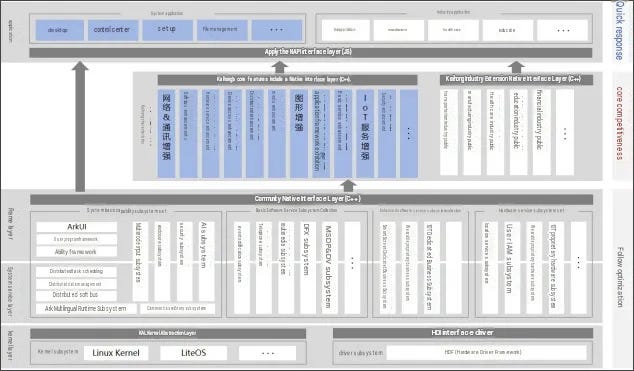
Here, the subsystem is a logical concept composed of corresponding components.
A component is a further breakdown of a subsystem, a reusable software unit containing source code, configuration files, resource files, and compilation scripts. It can be independently constructed and integrated in binary form, making it a binary unit with independent verification capabilities.
1. Kernel layer
- Kernel Subsystem: The KaihongOS standard system software uses a Linux kernel design. The Kernel Abstract Layer (KAL) provides the underlying kernel capabilities for the upper layer by masking multikernel differences, including process/thread management, memory management, file systems, network management, and peripheral management.
- Driver Subsystem: The Driver Framework (HDF, Hardware Driver Foundation) is the foundation for the open hardware ecosystem of the system, providing unified peripheral access capabilities and a framework for driver development and management.
2. System service layer
The system service layer is the core capability set of KaihongOS standard system software, providing services to applications through the framework layer. This layer consists of the following parts:
- System Basic Capability Subsystem Set: Provides foundational capabilities for running, scheduling, migration, and other operations in distributed applications across multiple devices. It consists of subsystems such as distributed soft bus, distributed data management, distributed task scheduling, public base library, multi-mode input, graphics, security, AI, and more.
- Basic Software Service Subsystem Set: Provides public, general-purpose software services, consisting of event notifications, telephone, multimedia, DFX (Design For X), and other subsystems.
- Enhanced Software Service Subsystem Set: Provides differentiated capability enhancement software services for different devices, consisting of proprietary smart screen services, wearable proprietary services, IoT proprietary services, and other subsystems.
The KaihongOS standard system software software service subsystem set provides customized enhanced software services for KaihongOS standard system software, consisting of end-cloud connectivity, near-field sensing services, wearable services, financial security, IoT services, and other subsystems.
- Hardware Service Subsystem Set: Provides hardware services, consisting of location services, user IAM, wearable proprietary hardware services, IoT proprietary hardware services, and other subsystems.
Depending on the deployment environment of different device forms, the basic software service subsystem set, enhanced software service subsystem set, and hardware service subsystem set can be internally segmented by subsystem granularity, and each subsystem can be segmented by function granularity.
3. Frame layer
The framework layer provides multilingual user programming frameworks and Ability frameworks for application development, ArkUI frameworks for JS, and multilingual framework APIs for various software and hardware services that are open to the public. Depending on the degree of component-based trimming of the system, the APIs supported by the device will also differ.
4. Application layer
The application layer includes system applications and third-party non-system applications. System applications include those essential to the system such as desktop and settings, and are composed of one or more FA (Feature Capabilities) or PAs (Particle Capabilities). Among them, FA has a UI interface that provides the ability to interact with users; PA, on the other hand, has no UI interface, providing the ability to run tasks in the background and providing unified data access abstraction. Applications developed based on FA/PA can implement specific business functions, support cross-device scheduling and distribution, and provide users with a consistent and efficient application experience.
Kaihongos Desktop Edition Scope and Positioning
1. Positioning
For developers, it offers an open-source desktop operating system version developed through OpenHarmony learning.
2. Characteristics
Provides open-source OpenHarmony system learning and development, southbound device and northbound application development and validation, and offers new interaction, new security, new intelligence, and new ecosystem experiences.
3. Application
Laptops, MiniPCs, desktops, etc.
Update log
v5.0.2.30
1. Added camera services and document editor;
2. Optimized video decoder, resolution adjustment, and screen zoom functions.
Caution: This desktop OS is not polished as Huawei HarmonyOS computer system for MateBooks, Apple Macs, Microsoft Windows and Linux. Still new infertile ecosystem that is yet to be fully polished and more experimental and developer centric target, you will experience missing apps, unpolished apps, missing audio/graphical drivers etc. I recommend you dual-booting KaihongOS with your current desktop set up of Windows or Linux x86 computer/laptop or QEMU virtual machine at best.

Download the zipped ISO file here for KaihongOS x86 (Translate the web page with your browser)